An automation builder for an early-stage AI debugging platform, connecting issue detection to automatic actions so engineering teams respond faster.
Scene 01 Design Process Walkthrough This video demonstrates the process behind designing a workflow automation experience from mapping complex workflows and understanding user needs to creating a scalable solution that simplifies repetitive tasks and helps teams automate their work.
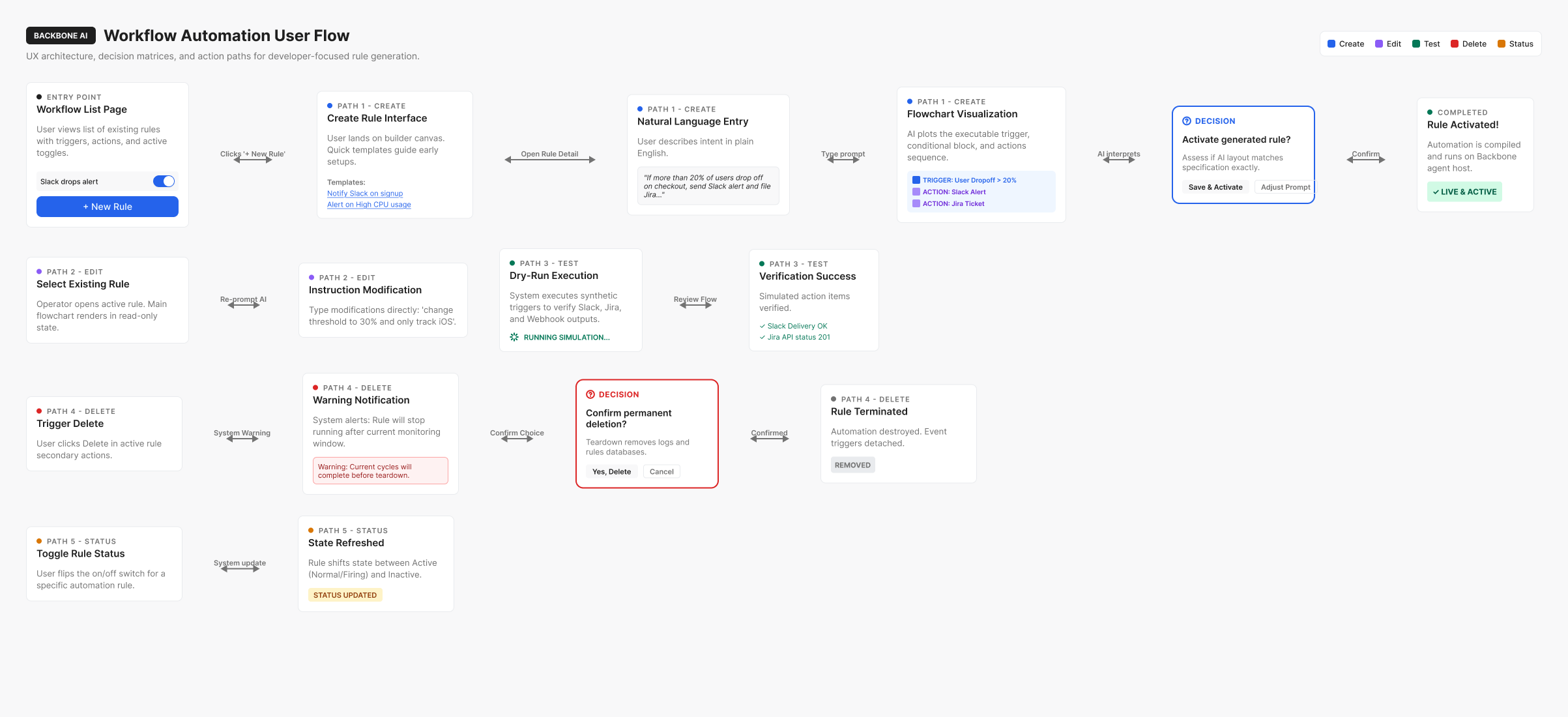
Scene 02 Mapping the workflow automation journey
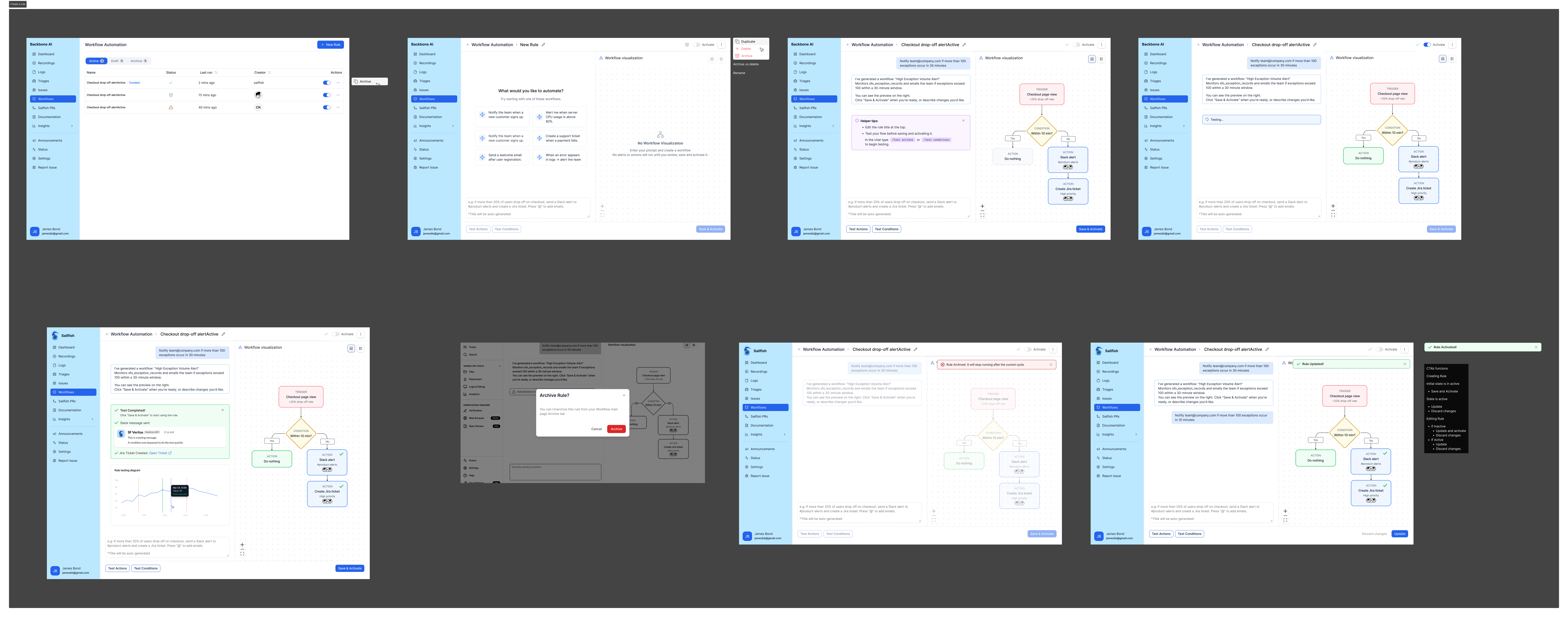
A user flow illustrating how teams create, configure, and manage automated workflows — highlighting key decisions, actions, and system states throughout the experience.
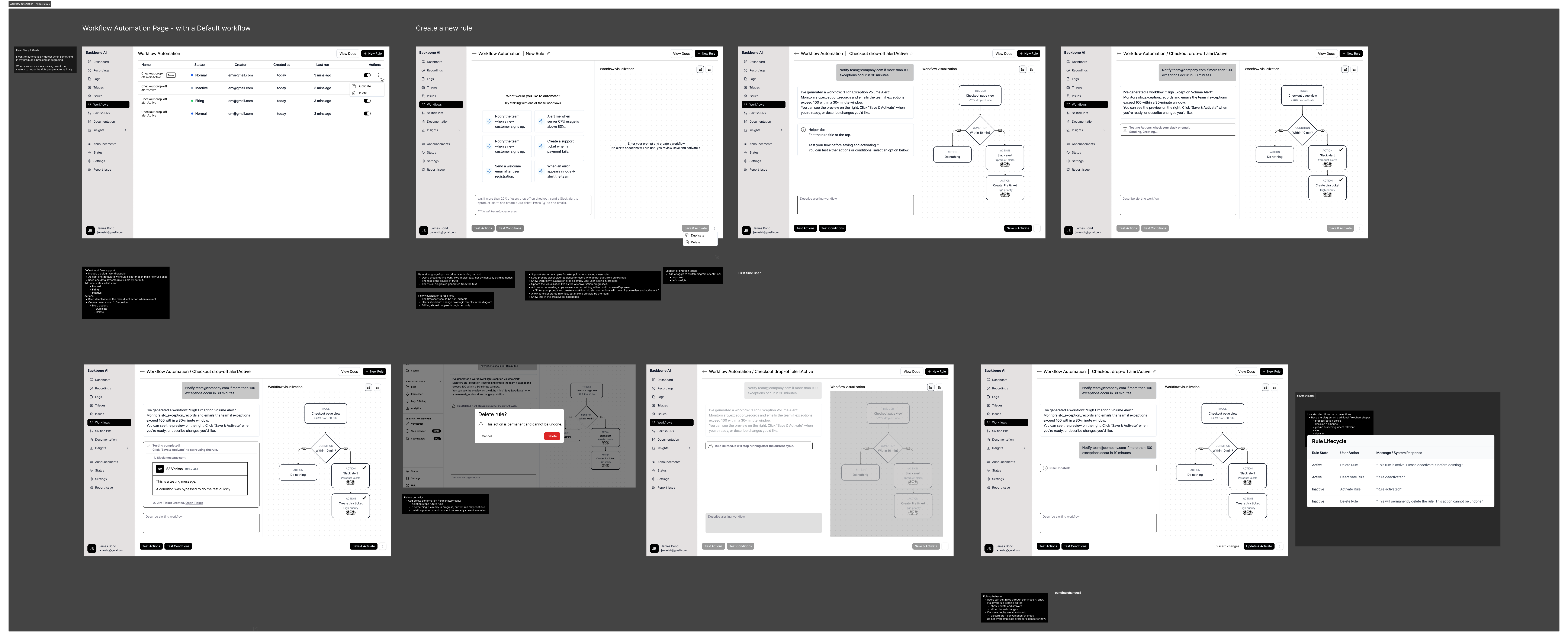
Scene 03 Ideation & Wireframing Rapidly exploring concepts and wireframes to simplify workflow creation and make automation easier to understand and manage.
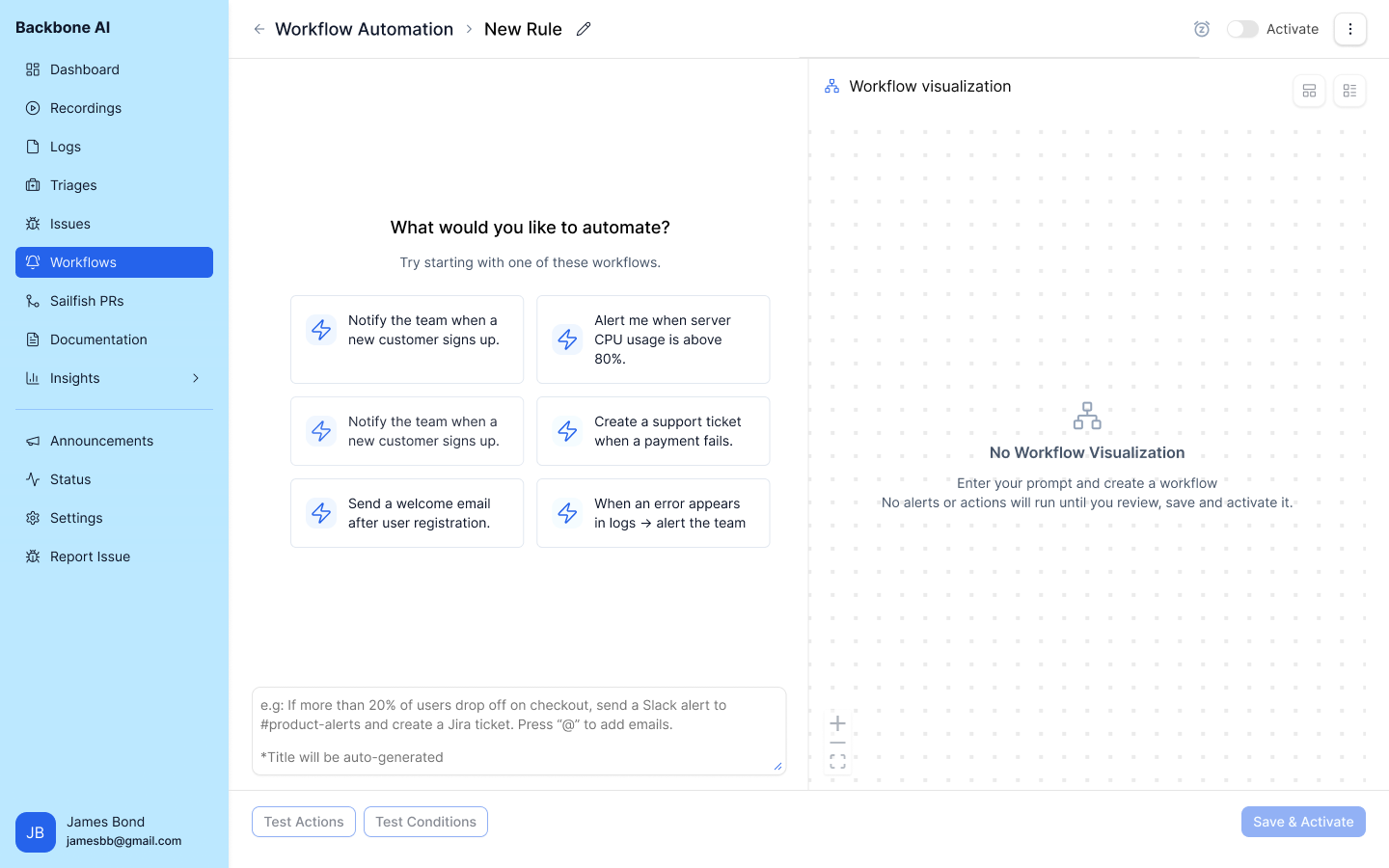
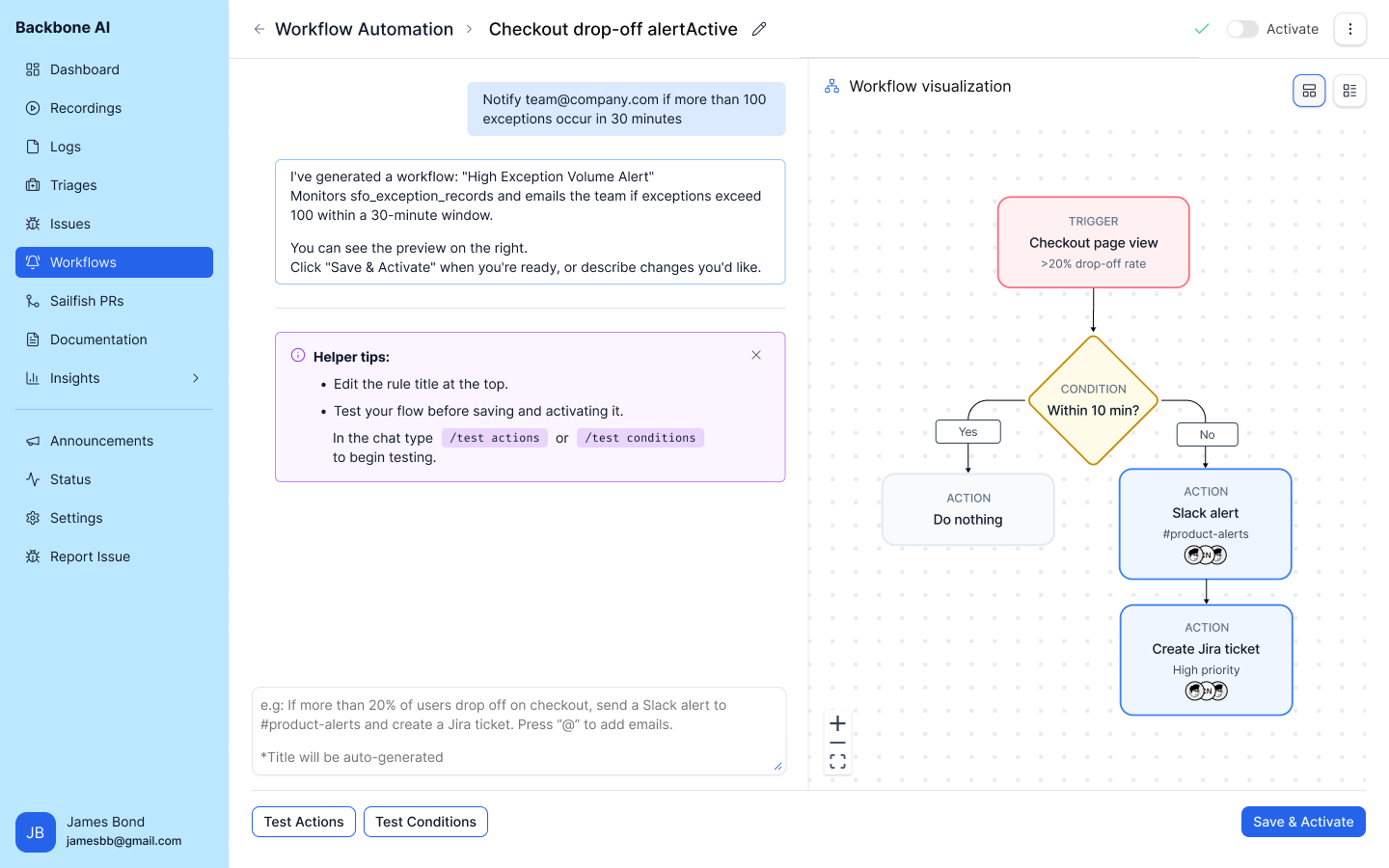
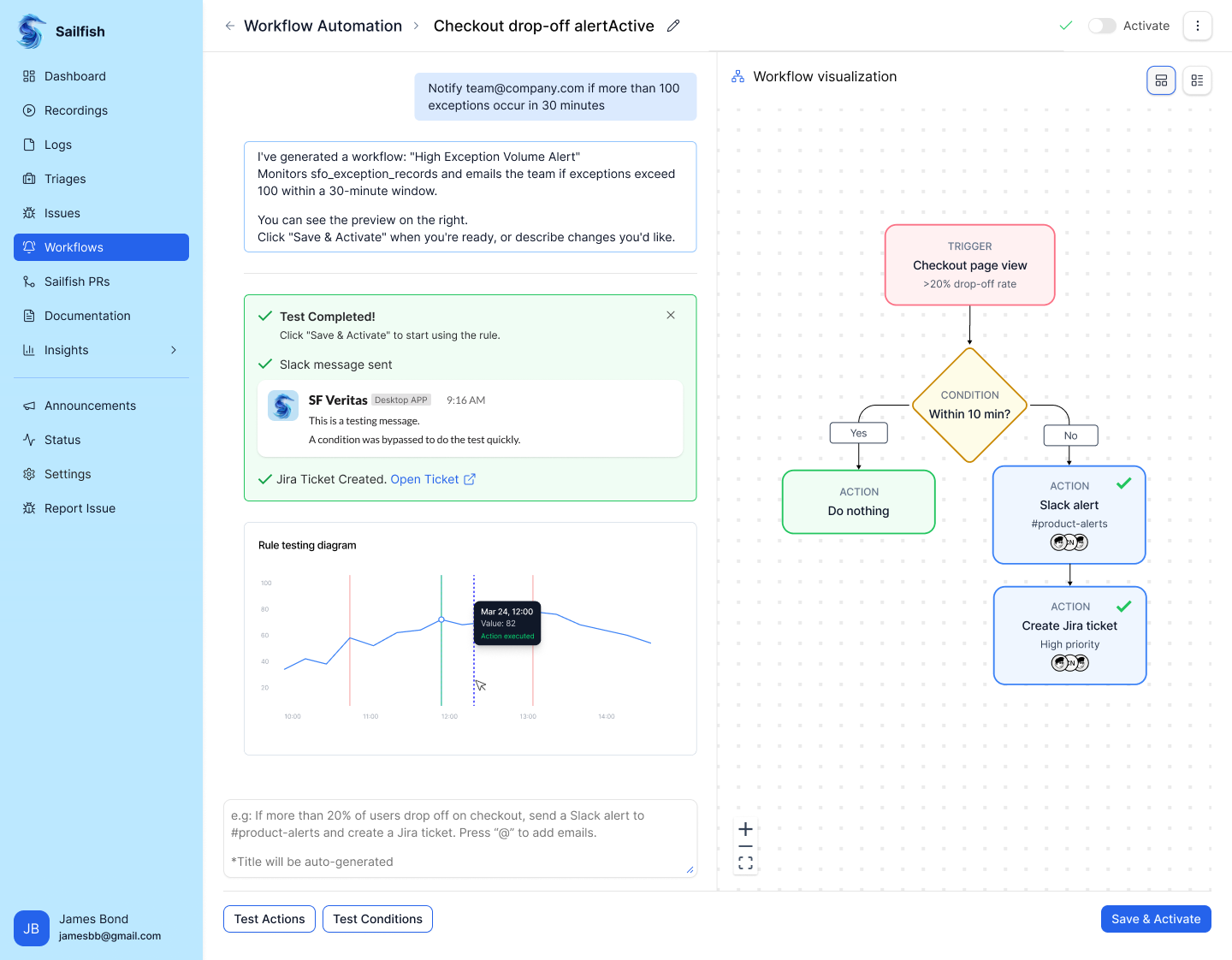
Designing the Interface Transforming concepts into a polished, intuitive interface that makes complex workflow automation simple and easy to manage.
Confidentiality Note
This case study does not include all product screens or implementation details due to confidentiality.
It focuses on the design process, key workflows, and decision-making.